

Reference

pp99game App and Browser Access for Pakistan

The pp99game lobby is built around your phone — slots, live tables, Peshawar Crash Arena and the sportsbook all load cleanly in a mobile browser, with no extra steps between you and the game.

mobile browser accessaccount continuity across devicesavailability check on siteLive casino and slots
pp99game pp99game App and Browser Access for Pakistan
pp99game Inside the pp99game Mobile Experience

Inside the pp99game Mobile Experience

Whether you are on the browser version or an app build, pp99game keeps returning users moving fast. Push notifications let you know when your preferred tables open or when a deposit lands in your account wallet. Quick deposit shortcuts mean your JazzCash or Easypaisa top-up takes a few taps rather than a full navigation flow. Fingerprint login skips the password screen entirely

on supported Android and iOS devices, so the lobby is a single press away. Live tables from Evolution stream without buffer drops on a steady 4G connection, and crash titles like Crash Velocity run as smoothly on a 6-inch screen as on desktop.
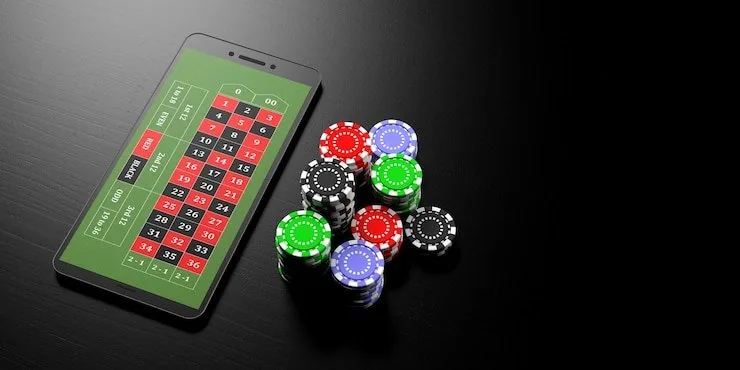
Checking Supported Browsers and Devices

The mobile site and any available app build are tested against current browser engines. If something is not rendering correctly on your device, the steps below will tell you where the issue is before you contact support.

Browser compatibilityChrome and Safari on current Android and iOS versions are the primary supported browsers. Firefox and Samsung Internet also work on most builds.
Screen layoutThe lobby is optimised for portrait mode on phones between 5 and 7 inches. Tablets display a wider card grid, and landscape mode is supported for live table sessions.
Account requirementsYou need a verified pp99game account to access real-money tables and the sportsbook. Wallet verification links JazzCash, Easypaisa or Raast to your account before deposits clear.
Device access checkTo confirm whether your specific device and OS version are supported, open pp99game in your browser — incompatible environments surface a compatibility notice rather than a broken layout.
Regional eligibilitySome features, including the app download and certain game categories, depend on local law and are shown only where your region is eligible.
pp99game Mobile Access in 3 Steps

Mobile Access in 3 Steps

Getting into the pp99game lobby on your phone does not require a complicated setup. The browser path works on any current Android or iOS device, and if a dedicated app build is available in your region, the download link is on the site rather than buried in a third-party store. Start here and you will be at the lobby in under two

minutes. Cricket fans heading into a PSL session will find the sportsbook in the same navigation row as the casino — no separate login required.

  • Open the current site — Type pp99game into your mobile browser or tap your saved bookmark. The site detects your device and loads the mobile layout automatically.
  • Check app availability — If a native app build is offered for your region, a banner or download prompt appears on the homepage. Availability depends on local law and your eligible region.
  • Sign in securely — Log in with your account credentials. On a saved device, biometric login handles this step. New accounts can be created directly from this page.
  • Set up your wallet — Add JazzCash, Easypaisa or Raast in the account wallet section before your first deposit so the payment row is ready the moment you want to fund a session.

Key Features in the Mobile Build

These are the features that make a difference on a phone compared to opening the desktop site in a browser. Each one reduces the friction between picking up your device and reaching the table or slot you want.

Biometric Login

Fingerprint and face unlock work on supported Android and iOS devices, so you are in the lobby without typing a password every time.

Push Notifications

Opt in to alerts for deposit confirmations, account activity and when specific game rooms are available — useful for keeping track without staying in the app.

Dark Mode Display

The interface adjusts to your device display setting. Dark mode cuts glare on live table sessions, especially useful for evening play on a high-brightness screen.

Offline Lobby Preview

The lobby layout and game catalogue load from cached data when your connection drops, so you can browse titles and plan your session before reconnecting.

Frequently Asked Questions About the pp99game App

Real questions from people trying to get the app running or decide whether to use the browser instead.

A native app may be available depending on your region. Check pp99game directly — if a build is offered where local law permits, a download prompt appears on the homepage.

Most features are identical. The browser version covers the full lobby, JazzCash and Easypaisa deposits, live tables and the sportsbook. Push notifications require the native app build.

After your first standard login on a supported device, go to account security settings and enable biometric login. From that point, your fingerprint or face unlock opens the lobby directly.

Yes. Your pp99game account is the same across all access points. Balances, deposit history and game records are tied to your account, not the device or browser you use.

Slots like Prize Juices and Football BetMastery load quickly even on 4G. Crash games like Crash Velocity and Peshawar Crash Arena are designed for mobile-first play with minimal data use.

Yes. Open your JazzCash or Easypaisa wallet, send to the account number shown in the deposit screen, confirm with your PIN and the balance reflects in your pp99game wallet once the transfer clears.
Reference

pp99game App

Service availability depends on eligible regions and local law. Users should check local rules before opening an account.

Access may be available only where local law permits.